Message Types
LoRaWAN messages can be categorized into two types:
- Uplink messages - Uplink messages are initiated by the end device and are sent to the network server via one or more gateways.
- Downlink messages - Downlink messages are initiated by the network server and are sent to the end device via the best gateway.
The following messages can be considered uplink messages. These messages are sent by the end device to the network server:
- Join request – used by the end device to send join request information to the network server.
- Unconfirmed uplink – does not need to be acknowledged by the network server. Hence, the end device has no guarantee that the network server has received the message.
- Confirmed uplink – must be acknowledged by the network server with a downlink.
The following messages are considered downlink messages. These messages are sent by the network server to the end device:
- Join accept – acknowledges the join request and provides parameters for the end device if the request is accepted by the network server.
- Unconfirmed downlink – does not need to be acknowledged by the end device.
- Confirmed downlink – must be acknowledged by the end device with an uplink.
Join request and join accept messages are special types of messages and we will discuss them in a separate section.
All other uplink and downlink messages are considered data messages. A data message is used to transfer both application data and MAC commands. The same message can carry both application data and MAC commands together.
MAC Payload
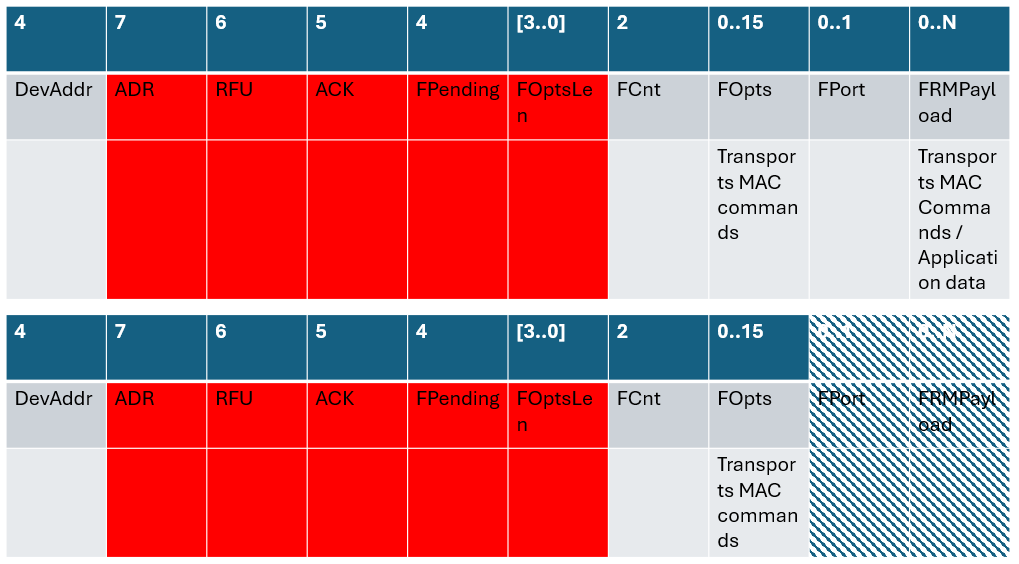
The MAC payload of a data message is called a data frame (because it contains the Frame Header – FHDR). It consists of the following fields:
- FHDR - Frame header
- FPort - port
- FRMPayload - Frame payload
The FHDR consists of the following fields:
- DevAddr (this is the device address assigned by the network server)
- FCtrl
- FCnt
- FOpts
The FOpts field can transport up to 15 octets of MAC commands.
There are several combinations used to transport MAC commands and application data.
Transport data
There are two ways:
- in FRMPayload field
- in FOPts field
In FRMPayload field
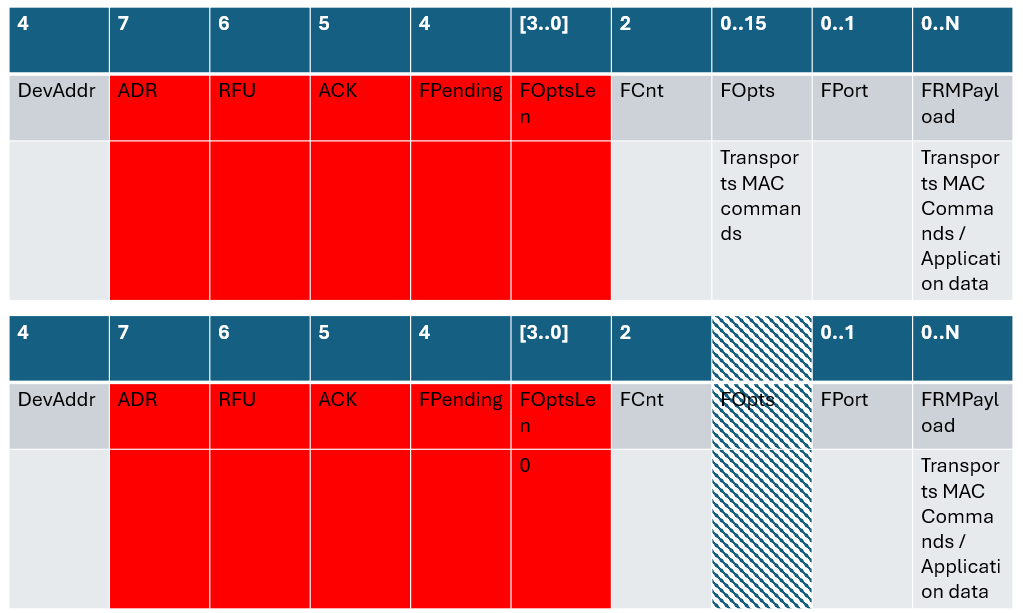
If the FOptsLen field has the value 0, the FOpts field will be absent. In that case, the FRMPayload field can contain either MAC commands or application data. The type of data is determined by the value of the FPort field: 0 indicates MAC commands, while values 1–223 indicates application data.
Note that the FRMPayload field cannot contain MAC commands and application data at the same time.
In FOpts field
The FOpts field can be used to transport any sequence of MAC commands.