
SIM Cards
This section explains the type of SIM cards.
Types of SIM Cards
A SIM card often comes as a single plastic card with three sizes cut into it: Mini SIM, Micro SIM, and Nano SIM. This design allows you to use the size that fits your NB-IoT / LTE-M device.
The following SIM types are availabe.
| type | Size | Form Factor | Description |
|---|---|---|---|
| Mini-SIM | 25x15 mm | 2FF | The largest size, typically used in older phones |
| Micro-SIM | 15x12 mm | 3FF | Smaller than the Mini SIM, used in many smartphones released after 2010 |
| Nano-SIM | 12x9 mm | 4FF | The smallest size, currently the standard for most modern smartphones |
| e-SIM | 6x5 mm or 2x1 mm | MFF2 / WLCSP | is built directly into the device as a tiny chip |
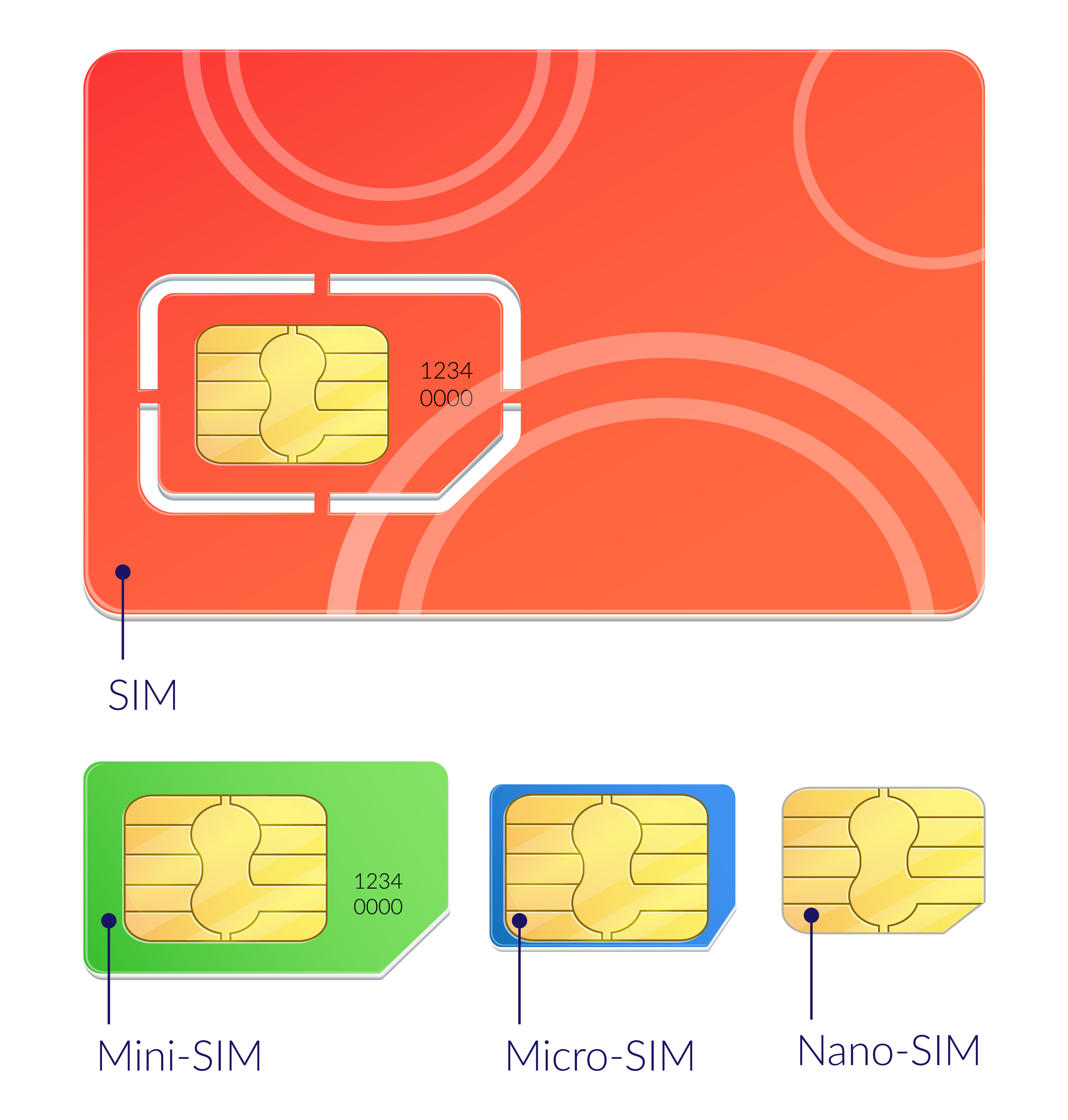 Image by macrovector on Freepik
To detach the correct SIM size from the card:
- Check your device’s manual or SIM slot to confirm which size it requires.
- Hold the plastic card firmly and gently push the SIM along the perforated edges.
- Start with light pressure from your thumb until the SIM pops out of the card.
- If your device uses a larger SIM but you already detached a smaller one, you can place it back into the larger plastic frame (adapter) to fit the slot.
Always detach slowly to avoid damaging the SIM chip, which is the golden metallic area in the center.
How SIM stores its identity
Every SIM has a unique number called an IMSI (International Mobile Subscriber Identity).
The first digits of the IMSI include the MCC (Mobile Country Code) and MNC (Mobile Network Code).
Example: 26201
- MCC: 262 - Germany
- MNC: 01 - Deutsche Telekom
When the device powers up, the modem scans radio frequencies for available networks. It reads the MCC/MNC broadcast by each cell.
What is an APN?
- An APN is like a “gateway” between the cellular network and the internet (or a company’s private server).
- It tells the mobile operator how to handle the connection.
- Each SIM card is configured with an APN, and the device uses this APN to register on the network.
Types of APNs for NB-IoT
Public APN
- Provided by the mobile operator.
- Connects the device directly to the internet.
- Simple, but less secure.
Private APN
- Customized for a company or service provider.
- Routes data only to a specific server or VPN.
- More secure and controlled.
Why is APN important in NB-IoT?
- It defines how the device communicates with the application server.
- Some NB-IoT networks require a special IoT APN instead of the default internet APN.
- Without the correct APN, the device cannot establish a data connection.
Example
iot.telekom.net
APN configuration
The APN configuration can be stored in both the SIM and the device firmware, depending on the setup:
Stored on the SIM (default APN)
- Many mobile operators pre-configure a default APN on the SIM card.
- If the device doesn’t override it, it will use the SIM’s APN automatically.
- This is common for plug-and-play NB-IoT modules.
Configured in the device firmware
- Most IoT devices allow you to explicitly set the APN in the module’s firmware or via AT commands.
- This ensures the device always uses the correct APN, even if the SIM has a different default.
- Necessary for private APNs or custom network routing.