
Smart Irrigation
Efficient water management is one of the most critical challenges in modern agriculture. With changing climate patterns and increasing demand for food production, farmers need smarter tools to optimize irrigation. One promising solution is remote irrigation control using LoRaWAN-based relays. LoRaWAN can cover several kilometers, even in rural and hilly areas. Unlike cellular or Wi-Fi, LoRaWAN works well in places without good connectivity. No monthly SIM or internet fees. A one-time setup offers long-term benefits.
This article combines other Dragino products too.
In this article, we explore how the Dragino LC01 LoRaWAN relay can be used to remotely control irrigation pumps, improving water efficiency and reducing labor.
In many remote farms, irrigation systems are manually operated. Farmers need to physically visit the site to switch pumps on or off, which wastes time and labor, risks over or under-watering crops, and increases fuel costs when pumps are far from the farmer's location.
This inefficiency is more problematic in regions where farms are large or spread across difficult terrain.
The Dragino LC01 is a LoRaWAN relay device that can control electrical appliances like irrigation pumps by receiving downlink commands from a LoRaWAN network server.
How does it work?
- Sensors in the field measure soil moisture or weather data (e.g., rainfall, temperature, humidity, etc.).
- This sensor data is sent to the LoRaWAN network via gateways.
- The application server processes the data and, if needed, sends a downlink command to the LC01 relay.
- The LC01 activates the pump (or turns it off), depending on the command.
- The entire process happens remotely, with no need for human presence near the pump.
Designing the network
To design a LoRaWAN network to cover an entire farm, first consider its size and the terrain. In rural areas, LoRaWAN can typically achieve a range of 10-15 kilometers between gateways and end-devices, and sometimes even up to 20km or more with clear line of sight. However, this range can be affected by factors like terrain, obstacles, and gateway placement.
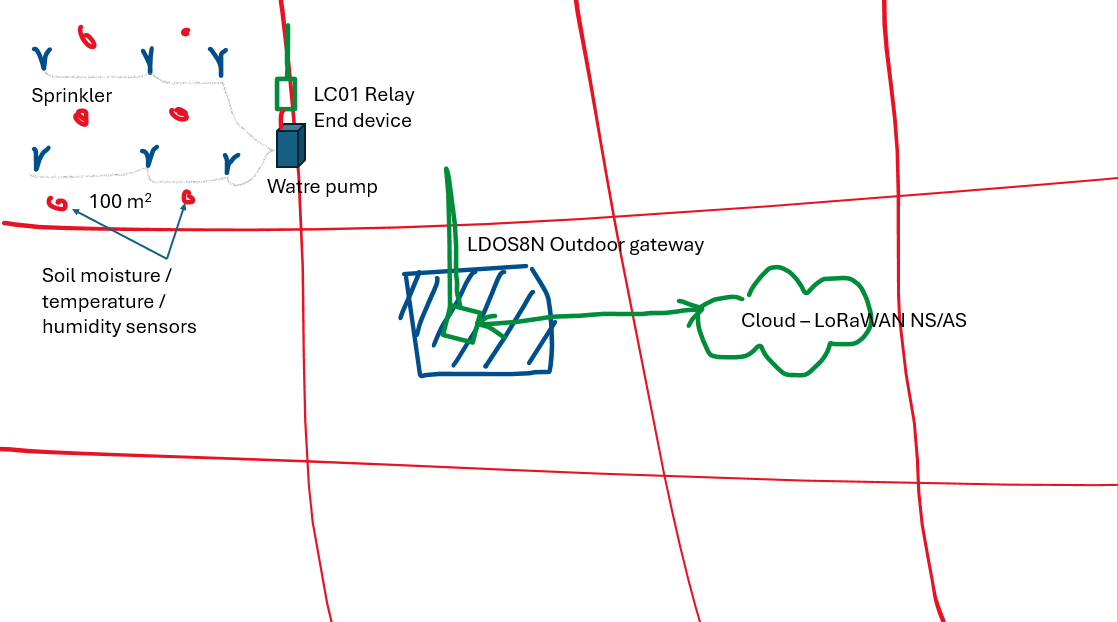
The following is a sketch of a network design: The relay controls the electric water pump, which is connected to a group of sprinklers. On a small farm that spans several acres, the microclimate can generally be considered uniform across different areas. However, on large farms spanning thousands of acres, the climate in one area may differ slightly from another.
For this use case, we assume the size of the farm is a few acres.
Message flow
The Dragino LC01 has a built-in relay that can be turned on and off using external commands. These commands are sent to the LC01 as LoRaWAN downlinks from the network. These commands can be sent from:
- the Application Server the LC01 is registered with or
- an integration such as MQTT, Webhooks, etc. or integrated platform such as ThingsBoard, ThingsEye, etc. through the Application Server.
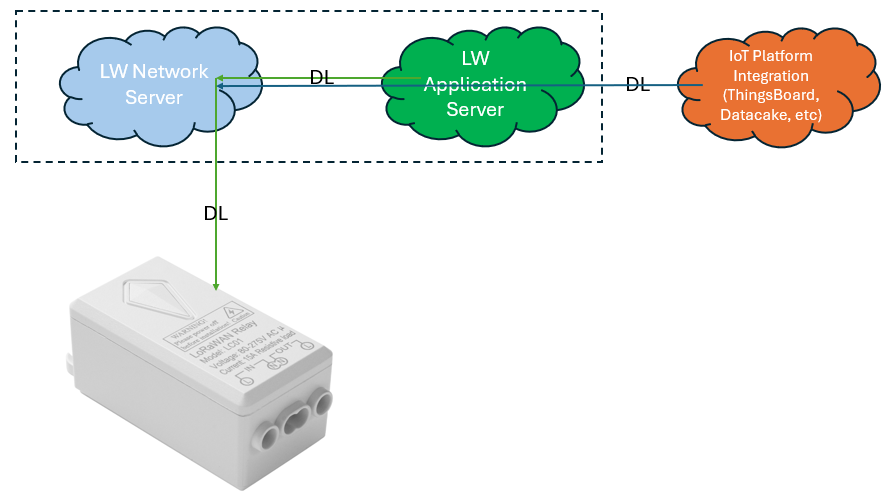
The payload inside the downlink packet contains the control instructions in hexadecimal. The following commands are used to control the relay:
- Turn On:
00 01 - Turn Off:
00 00- initially, by default the relay is in OFF state.
Installing LC01 relay
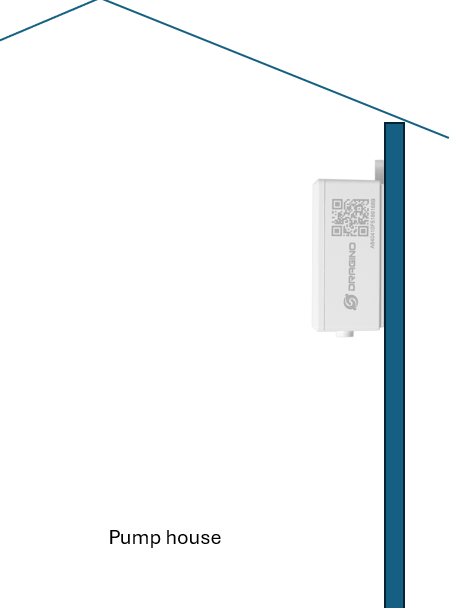
When installing the LC01 relay, you can place it inside the pump house, mounted on one of the walls. This setup enables good signal propagation between the LC01 and the outdoor gateway. Additionally, install the LC01 as high as possible. Although the LC01 has an external antenna, it can transmit signals up to several kilometers. It also features a maximum +22 dBm constant RF output and excellent RX sensitivity, down to -139 dBm.
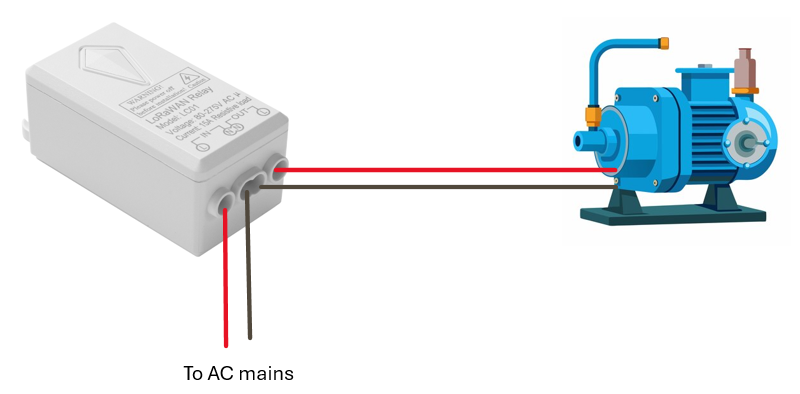
The following figure shows the possible wiring diagram between LC01 and the water pump. The connection is very simple.
- Connect the Live and Neutral wires from the water pump to the OUT terminal of the LC01.
- Connect the IN terminal of the LC01 to the AC power supply.
Registering and Activating LC01 on LoRaWAN network
Read the LC01 technical documentation for more information on how to register and activate LC01 with a LoRaWAN network.
Controlling
The relay can be controlled from the LoRaWAN Application you registerd. We assume you use The Things Stack as the LoRaWAN Network and Application servers.
- Click the Messaging tab.
- Make sure the Schedule downlink tab is selected.
- We use FPort 1 for sending downlinks.
- Ensure Bytes is selected as the Payload type.
To turn on the water pump, enter the payload 06 01 (in HEX) in the payload field. Then, click the Schedule downlink button.
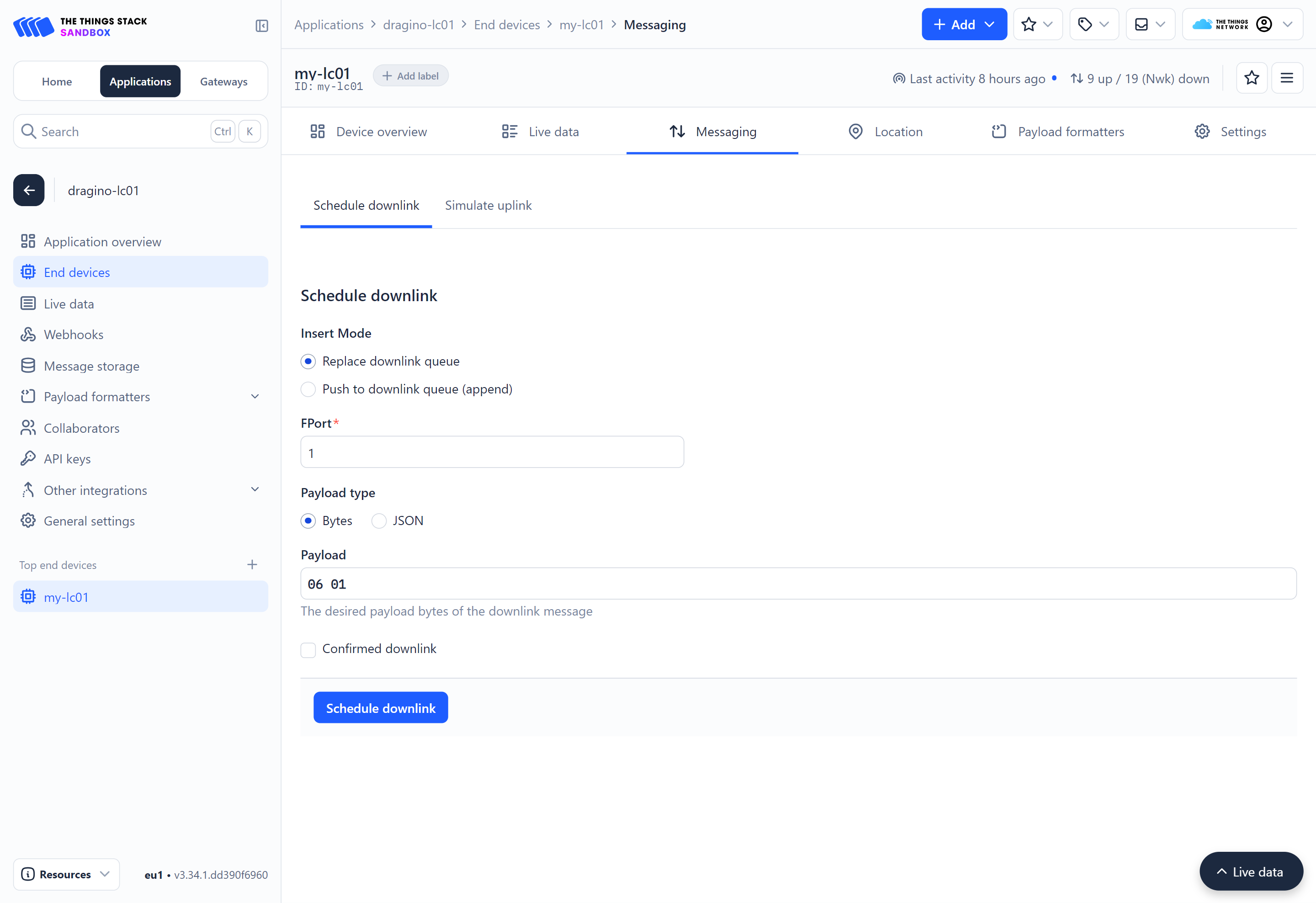
You should see the water pump turn on within a few seconds. (Some delay is expected with LoRaWAN downlinks.)
Tips
If you are in an area with poor LoRaWAN network coverage, the network might not be able to deliver the downlink to your device.
To turn off the water pump, enter the payload 06 00 (in HEX) in the payload field. Then, click the Schedule downlink button.
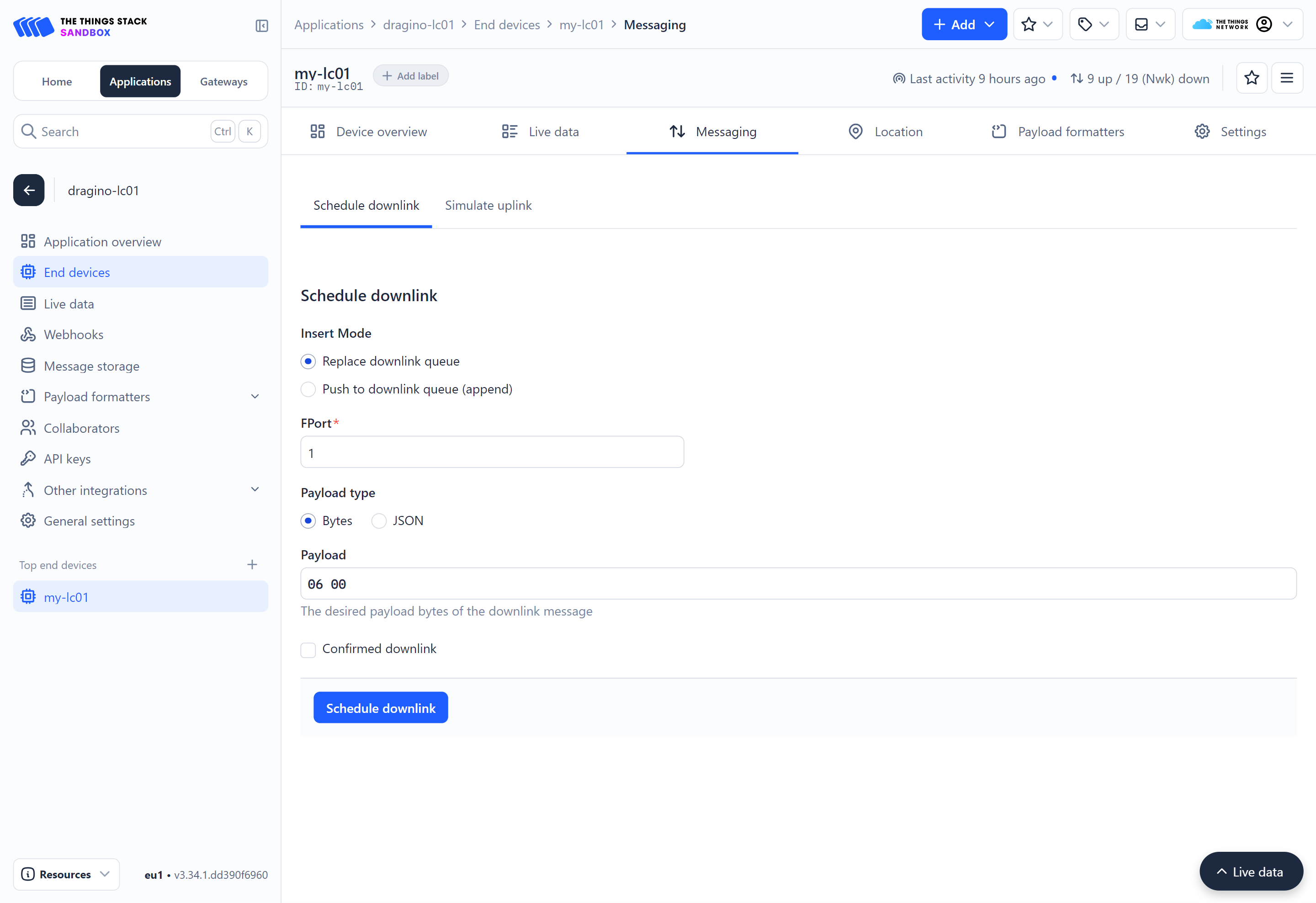
You should see the water pump turn off within a few seconds.